Built-in web server
Monitor and configure Flasher devices directly from any web browser
- Access real-time status and operational data
- Configure Flasher devices remotely
- No additional software installation required
Overview
Flasher Pro, Flasher Pro XL, Flasher Hub-4, and Flasher Hub-12 all come with the built-in web server providing real-time operational data about the device itself and the connected modules, including serial numbers, hardware versions, and active status indicators.
In scenarios where the Flasher Hub-12 is in use, monitoring and administration tasks can be performed remotely. The built-in web server provides critical visibility into headless systems, offering immediate access to network health and programming results on systems that do not have their own displays or screens.
For this purpose, the built-in web server provides a clearly arranged and easy-to-use web interface that can be accessed from any local or mobile device. No separate downloaded or installed flasher software is required. Only a browser for Windows, Linux, or Mac is needed for intuitive data control, operation, and configuration of Flasher devices from anywhere.
Key features
High performance
Fast response times for efficient real-time monitoring of Flasher devices.
Clear overview
View device information, monitor programming status, and access key settings via an easy-to-use graphical interface
Cross-platform compatibility
Access the web server from any device with a modern browser without the need for platform-specific flash programming software
Software
The built-in web server is powered by SEGGER's emWeb which is included free of charge and can be accessed via an assigned URL. This makes it possible to easily configure the Flasher devices using a browser of choice, with no need to install any additional flasher software, similar to the user-friendly experience of configuring a modern routers.
Updates
Future software and firmware updates are also free of charge.
- No licensing costs, even for newly supported devices.
- No hidden costs.
- No future costs.
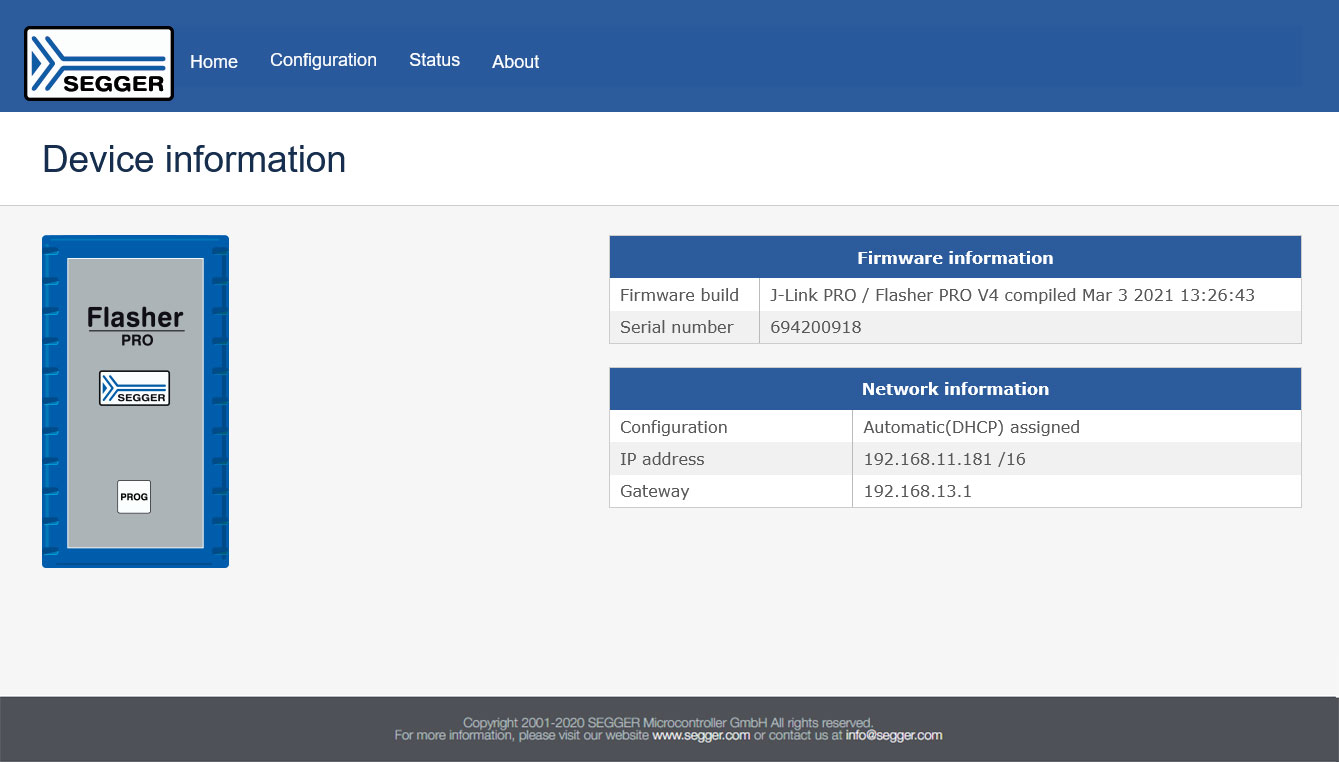
Device information
The "General" section acts as a dashboard for your flash programming tool, ensuring you always know the status of your hardware.
The built-in web server includes essential Flasher device data:
- Firmware information, e.g. build, version, serial number
- Network information, e.g. IP address, gateway
When using the Flasher Hub-12, it additionally offers the following options:
- Remote control of several programming units (as with the Flasher Compact), e.g. restarts, flashings, firmware updates
- Status overview of single programming modules

Programmer status
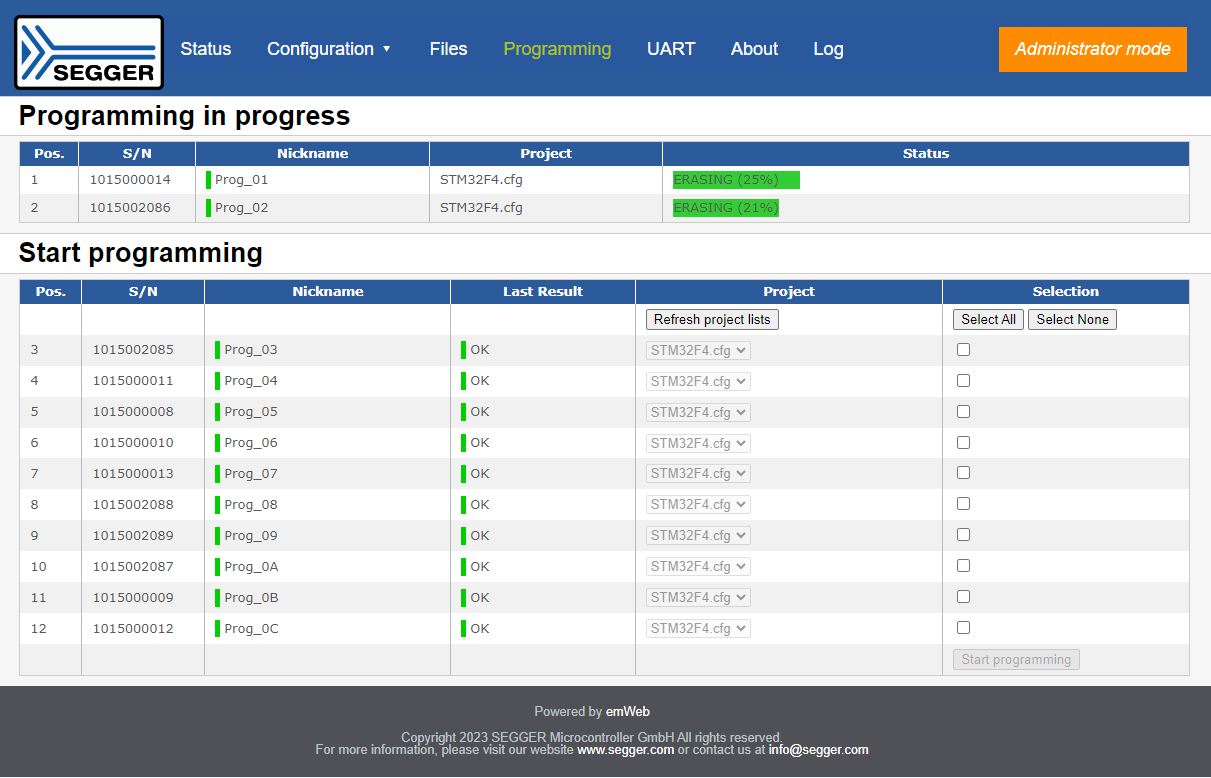
The "Programmer" section visualizes the current status of the connected flash programmer module or modules. This includes options to check status information and current operation data remotely, such as:
- Remote monitoring, e.g. target & supply voltage, current consumption, power
- Performance check, e.g. system uptime, number of tasks
When there are multiple programming units, the built-in web server also provides information about the status and activity of each single module (Flasher Compacts).

Network statistics
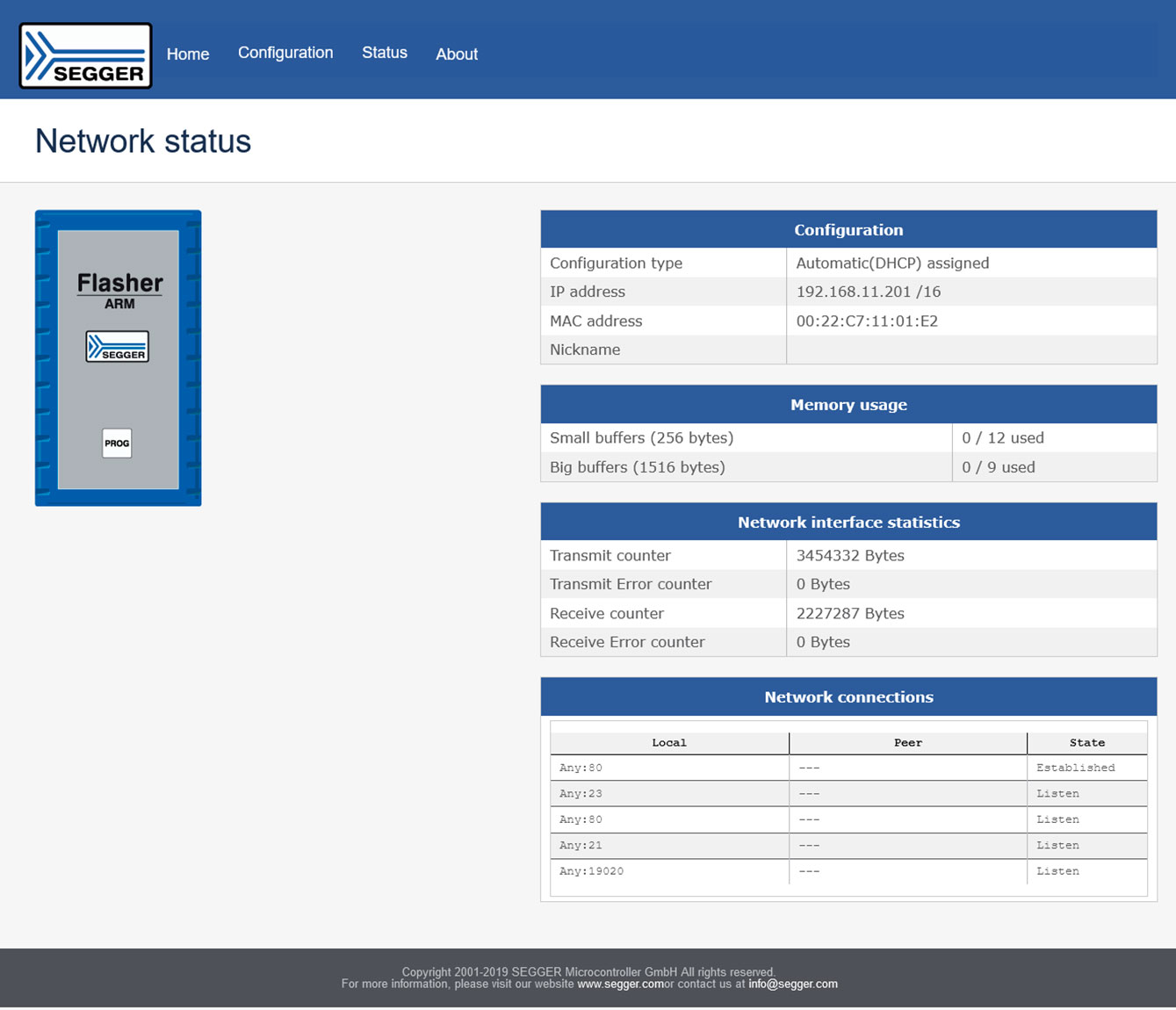
The "Network" section provides statistical data on the network interface, which is critical for maintaining a stable connection in a gang programming environment. This includes relevant statistical data of the network interface, such as:
- Interface statistics, e.g. transmit & receive counters, transfer & receive errors
- Network connections, including e.g. IPs, peers, states
- Memory usage (buffers)

Configuration options
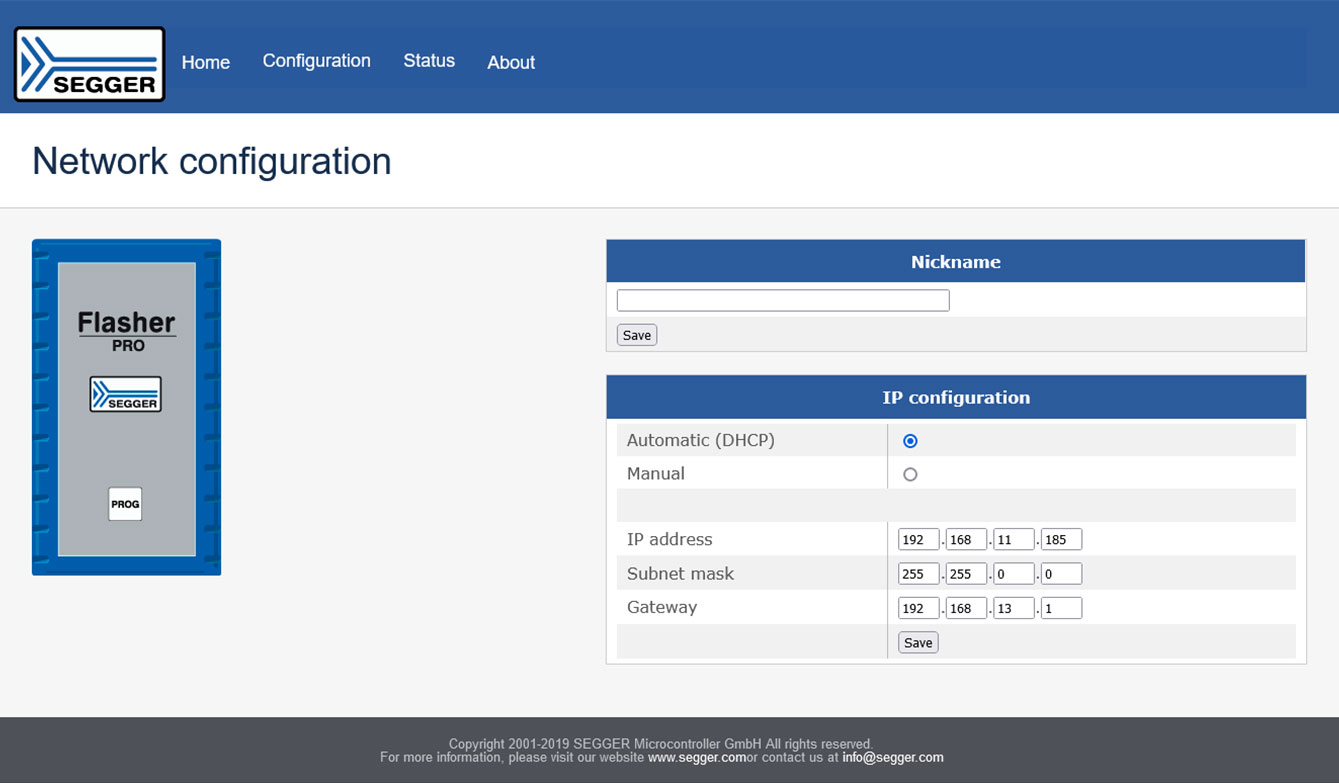
The built-in web server also allows changes to the configuration of the target interface without needing external flasher software. Adjustable settings include:
- Interface settings, e.g. modes, nicknames
- Network parameters, e.g. IP addresses, subnet masks, gateways
- Module positions of single programming units

File management
For the Flasher Hub only, the built-in web server offers advanced file options that function as a remote firmware update tool:
- Log file access providing data like time, tasks, durations
- Remote file update and download for Flasher Compact units, e.g. configuration files, firmware images


FAQ
Do I need to install drivers to use the web server?
No. The web server is hosted directly on the Flasher hardware. You do not need to install any drivers or specific flasher software on your PC; simply open the IP address in your web browser.
Can I update the Flasher firmware via the web interface?
Yes. For the Flasher Hub series, you can use the File Management section to upload new firmware images or configuration files remotely, effectively using the browser as a firmware update tool.
Does the web server work on Linux or macOS?
Yes. Because it uses standard web technologies, the interface is fully compatible with Linux, macOS, and Windows without requiring OS-specific flash programmer software.