Arm TrustZone
embOS Support for Armv8-M TrustZone
SEGGER’s embOS supports Armv8-M TrustZone. The security foundation for billions of Arm Cortex-M processor-based systems, TrustZone technology can be found in all kinds of everyday applications (media protection, device authentication, secure payment & more).
Read on to see how embOS powers the foundation of vital infrastructure.
Overview
SEGGER’s embOS fully supports Armv8-M TrustZone. That makes embOS an excellent foundation for efficient, secure embedded systems. With Armv8-M architecture TrustZone technology for Cortex-M based systems, the potential for attacks is significantly reduced. This is done by isolating critical security firmware and private installation such as secure boot, firmware updates and key from the rest of the application.
Today, so many devices are connected to and interact with one another. This network is often called the “Internet of Things” and is fully supported by embOS.
embOS Cortex-M Embedded Studio comes with a TrustZone demo project for NXP LPC55S69 (NXP LPCXpresso55S69) where embOS runs completely in the non-secure state but tasks can call functions from the secure state.
Armv8-M TrustZone demo project for NXP LPCXpresso55S69 Download
How embOS supports Arm TrustZone
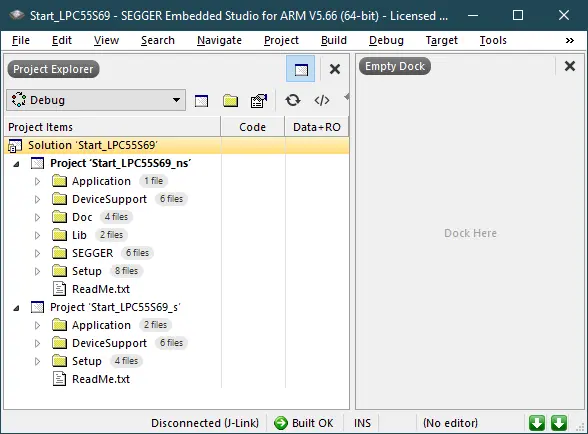
To use Arm TrustZone in embOS, start by opening the workspace: \Start\BoardSupport\NXP\LPC55S69_LPCXpresso55S69_TrustZone\Start_LPC55S69.emProject.
Once opened, there will be two separate projects available in the workspace.
- A secure application that runs in the secure state.
- A non-secure application that runs in the non-secure state.
The secure application serves the purpose of preparing and booting the device. The non-secure application is an example of how to implement an application within the TrustZone scope.
Armv8-M cores always boot up to the secure state. This means that the secure application will run after the reset. It initializes the Security Attribution Unit (SAU), then it starts the non-secure application. The secure application project also includes functions to read and write secure registers from the non-secure state.
The non-secure application uses embOS to schedule its tasks. This means that embOS in this sample is running from the non-secure state. Tasks created by embOS still can and do use functions from the secure state.
The non-secure sample application creates two tasks. Each one toggles an LED. The HPTask() makes a call to the secure state function IncrementCounter_s() which simply increments the secure counter Counter_s.
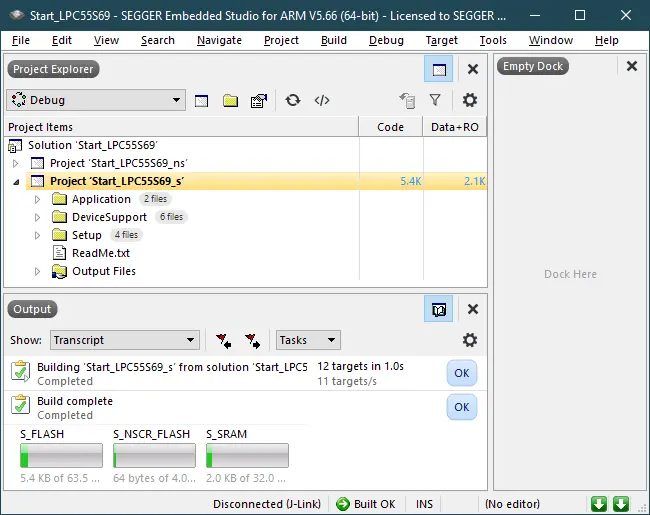
Now, build the secure project Start_LPC55S69_s:
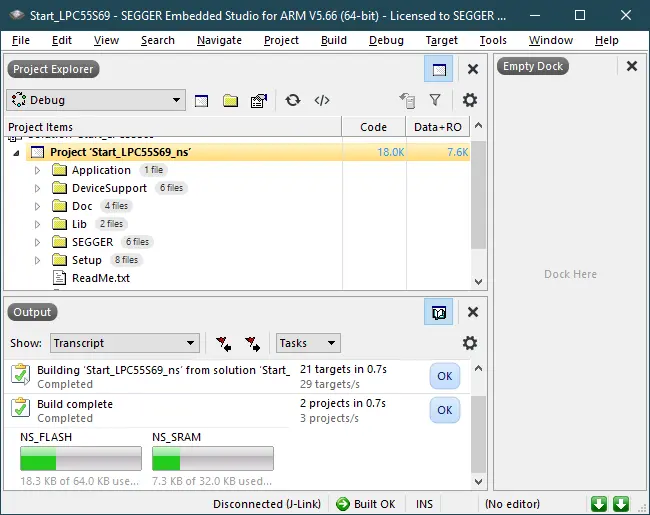
Next, build the non-secure project Start_LPC55S69_ns:
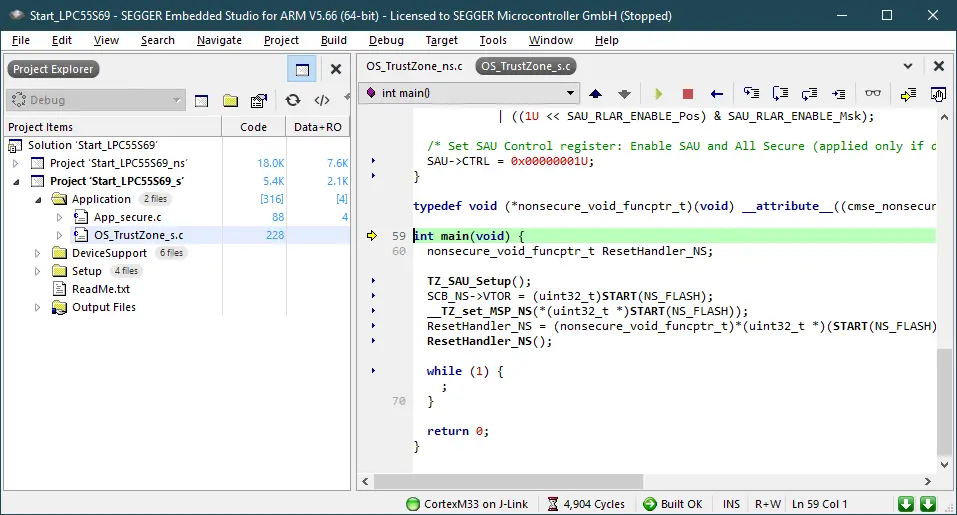
It’s time to start the debug sessions for the secure project, Start_LPC55S69_s. When the application runs, two LEDs will start blinking. The secure application sets up the SAU, initializes the non secure stack pointer and calls the non secure reset handler.
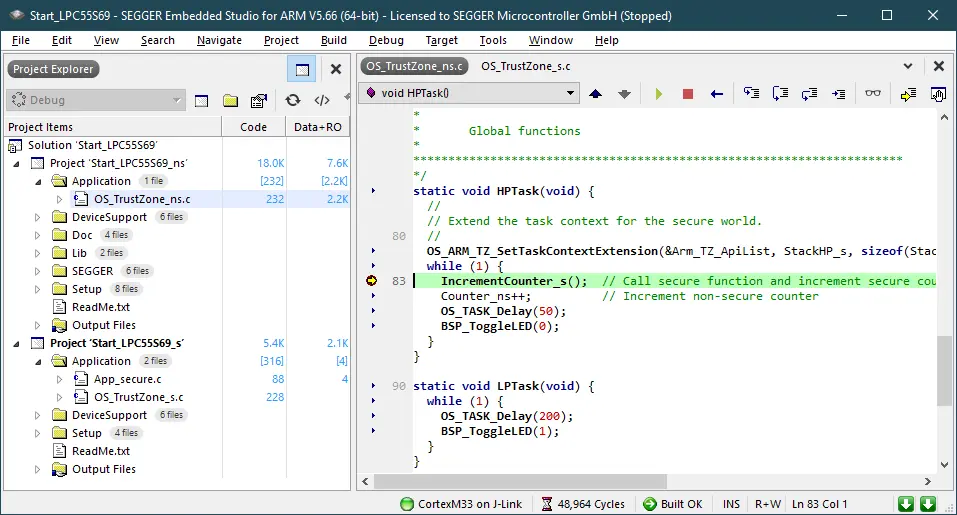
Set a breakpoint in the HPTask(). The HPTask() calls the secure function IncrementCounter_s() which simply increments the secure counter Counter_s.
It also increments the non-secure counter Counter_ns. The task context is extended with OS_ARM_TZ_SetTaskContextExtension(&Arm_TZ_ApiList, StackHP_s, sizeof(StackHP_s)).
The HPTask() needs an additional task stack which is used in the secure state. The TrustZone task context extensions controls the secure register PSP_s and PSPLIM_s accordingly. The secure task stack StackHP_s may be located in the secure memory.
Conclusion
By running this sample project, it is clear that embOS can run in the non-secure state whilst the application can easily access trusted software from within the secure state. The software being accessed might contain, for example, a few cryptographic functions, secure boot, etc. This is the most common scenario, however embOS is also capable of running in the secure state.
Still have questions? Don’t worry! We’re happy to provide advice and insight if you need it. Feel free to contact us here.